
You take your car in for a service every year. The tool you work with every day? Probably never.
In the organizations and courses I work with, I see the same pattern. People install skills, connect MCP servers, write a CLAUDE.md, and never look back. A few months later, Claude "forgets", stops to ask about everything, and doesn't always do what you asked.
The good news: Claude Code already ships with the tools for the job. There are seven built-in commands, and each one checks a different part of your setup. Run them in order, and in under an hour Claude listens better, asks less and works cleaner.
The findings in this post are typical examples, for illustration. What you find will depend on your own setup.
Step 0: before you pull into the garage
Run claude update. Some of these commands are new, and an older version simply won't have them. For example, /doctor prompt-audit needs version 2.1.283 or later.
Installed Claude Code a different way? Update the way you installed it, then start a new session.
Time: 2 minutes
1. Diagnostics: /insights
What it does: It generates a report on your recent sessions: which projects you work on, how you work with Claude, where things get stuck, and which features are worth trying.
Example finding: You keep fixing the same mistake, because a rule is missing from CLAUDE.md. Or you almost never use plan mode, even on the big tasks.
What you get: A short list of what to change tomorrow morning, based on how you actually work, not how you think you work.
Note: It runs on your own machine, not in cloud sessions.
Time: 5 minutes
2. Engine check: /doctor
What it does: It checks your installation, your extensions (skills, MCP servers and plugins), your CLAUDE.md files and your permissions. It shows what it found first, and changes nothing until you approve.
Example finding: Two Claude Code installs on the same machine. An MCP server you haven't touched in a month that still loads in every session. A local CLAUDE.md that duplicates the team's shared one.
What you get: Every session starts lighter, with fewer mystery glitches mid-work.
Time: 10 minutes
3. Calibration: /doctor prompt-audit
What it does: Instead of your setup, it checks your instructions: CLAUDE.md, skills and the rest of your configuration. It looks for instructions that are outdated or that contradict each other.
Example finding: One line says "always add tests", another says "never create new files without asking". Or an instruction that points to a folder that no longer exists.
What you get: Claude does what you asked, consistently, and you stop correcting it on the same things. When Claude seems not to listen, sometimes it's listening to a different instruction.
Time: 10 minutes
4. Clear out the trunk: /skill-doctor
What it does: It shows how much of Claude's working window (the context) each skill takes up, and how often you actually use it. It flags the ones that have never run.
Example finding: Skills you installed "just in case" that have never been used, but still take up room on every turn.
What you get: Less dead weight, and more room for the actual work in every session.
Time: 5 minutes
5. Fuel gauge: /context
What it does: It shows Claude's working window as a colored grid: how much room the tools, memory, skills and the conversation itself take up. It also suggests what you can cut.
Example finding: A large part of the window is full before you've typed a word. Or a single CLAUDE.md file that takes up more than everything else combined.
What you get: You understand why Claude "forgets" in long sessions, and you know when to clean up and what to cut.
Time: 3 minutes
6. Turn off needless warning lights: /fewer-permission-prompts
What it does: It goes through your history, finds read-only commands you approve again and again, and adds them to the project's list of allowed commands.
Example finding: git status, git log and ls, approved dozens of times. From now on they run without asking.
What you get: Claude works on its own for longer, without stopping every minute to wait for your approval. Meanwhile you work on something else, or grab a coffee. And it only covers read-only commands: you're not handing over the keys to everything.
Time: 5 minutes
7. The owner's manual: /team-onboarding
What it does: It analyzes your last 30 days of sessions, commands and MCP servers, and produces a guide that a new teammate pastes as their first message to Claude, then gets to work.
Example output: One document covering which MCP servers to connect, which commands to use, and what your workflow looks like.
What you get: A new teammate starts with your setup and habits from day one, without an hour of onboarding.
Time: 5 minutes
The whole service at a glance
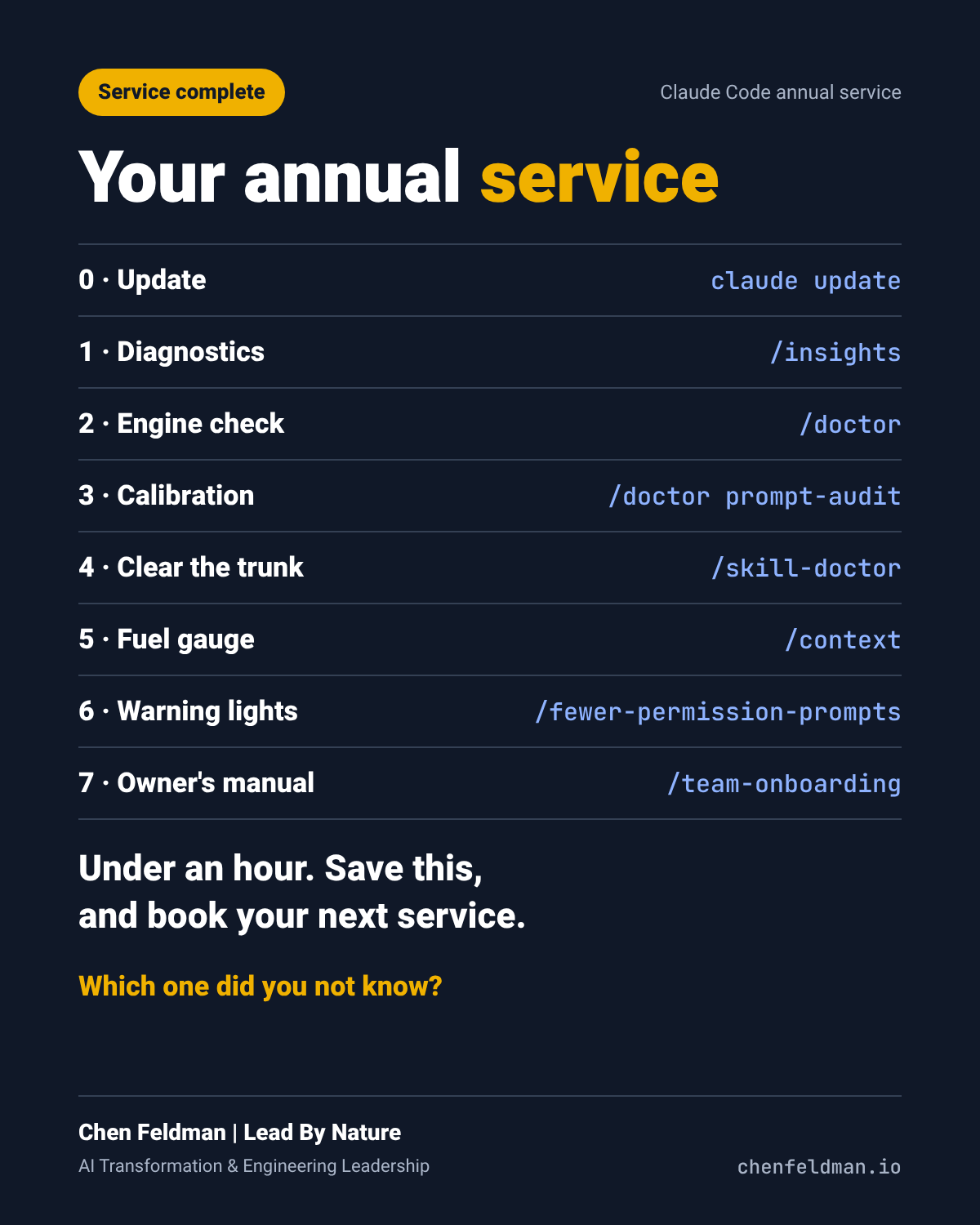
| Step | Command | Estimated time |
|---|---|---|
| 0. Update | claude update | 2 min |
| 1. Diagnostics | /insights | 5 min |
| 2. Engine check | /doctor | 10 min |
| 3. Calibration | /doctor prompt-audit | 10 min |
| 4. Clear out the trunk | /skill-doctor | 5 min |
| 5. Fuel gauge | /context | 3 min |
| 6. Warning lights | /fewer-permission-prompts | 5 min |
| 7. Owner's manual | /team-onboarding | 5 min |
About 45 minutes in total, not counting the time to apply the fixes. The times are estimates.
Only have 5 minutes today?
Start with /insights. The report alone will tell you what to fix first. Then put the full service on your calendar.